Skip to contentItems 1,022 items
Newest first
Loading the items…
Is this you? Request corrections or removal through the contact form.
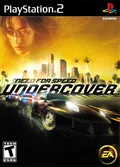
Disable Speed Effect
Game fixCompleteBy PeterDelta
A game fix for Need for Speed: Undercover (SLES-55351) that ships inside PCSX2.
- Built in
- Built into PCSX2. Turn it on in the Patches page of the game's properties window.
- Works with
- PAL
SLES-55351 - Emulator
- PCSX2
- Link
- Working at the last check, checked
- Author's note
- Removes the speed effect in race.
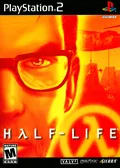 Half-Life on PS2 (PlayStation 2)
NTSC Mode
Game fixCompleteBy PeterDelta
A game fix for Half-Life (SLES-50507) that ships inside PCSX2.
- Built in
- Built into PCSX2.
50 FPS
Game fixCompleteBy PeterDelta
A game fix for NBA Live 2001 (SLES-50026) that ships inside PCSX2.
- Built in
- Built into PCSX2.
Widescreen 16:9
Widescreen patchCompleteBy PeterDelta
A widescreen patch for Cool Boarders (SCES-00568) that ships inside DuckStation.
- Built in
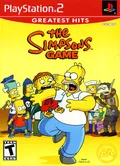
50 FPS
Game fixCompleteBy PeterDelta
A game fix for The Simpsons Game (SLES-54905) that ships inside PCSX2.
- Built in
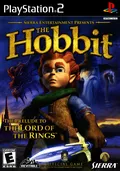 The Hobbit on PS2 (PlayStation 2)
60 FPS
60 fps patchCompleteBy PeterDelta
A 60 FPS patch for The Hobbit (SLUS-20655) that ships inside PCSX2.
- Built in
- Built into PCSX2.
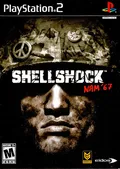
50/60 FPS
60 fps patchCompleteBy PeterDelta
A 60 FPS patch for Shellshock: Nam '67 (SLES-51982) that ships inside PCSX2.
- Built in
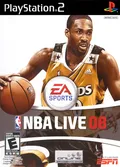 NBA Live 08 on PS2 (PlayStation 2)
Widescreen 16:9
Widescreen patchCompleteBy PeterDelta
A widescreen patch for NBA Live 08 (SLES-54933) that ships inside PCSX2.
- Built in
Widescreen 16:9
Widescreen patchCompleteBy PeterDelta
A widescreen patch for Piglet's Big Game (SLES-51666) that ships inside PCSX2.
- Built in
 Madagascar on PS2 (PlayStation 2)
Widescreen 16:9
Widescreen patchCompleteBy PeterDelta
A widescreen patch for Madagascar (SLES-53226) that ships inside PCSX2.
- Built in
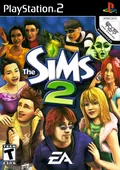 The Sims 2 on PS2 (PlayStation 2)
50 FPS
Game fixCompleteBy PeterDelta
A game fix for The Sims 2 (SLES-53718) that ships inside PCSX2.
- Built in
- Built into PCSX2.
Widescreen 16:9
Widescreen patchCompleteBy PeterDelta
A widescreen patch for Bratz: The Movie (SLES-54989) that ships inside PCSX2.
- Built in
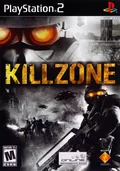 Killzone on PS2 (PlayStation 2)
Disable Noise Effect
Game fixCompleteBy PeterDelta
A game fix for Killzone (SCES-52004) that ships inside PCSX2.
- Built in
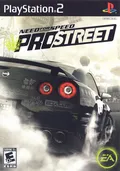
Remove Brume
Game fixCompleteBy PeterDelta
A game fix for Need for Speed: ProStreet (SLES-55005) that ships inside PCSX2.
- Built in
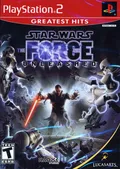
Widescreen 16:9
Widescreen patchCompleteBy PeterDelta
A widescreen patch for Star Wars: The Force Unleashed (SLES-54659) that ships inside PCSX2.
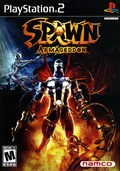
Widescreen 16:9
Widescreen patchCompleteBy PeterDelta
A widescreen patch for Spawn: Armageddon (SLES-52326) that ships inside PCSX2.
- Built in
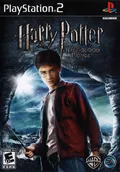
NTSC Mode
Game fixCompleteBy PeterDelta
A game fix for Harry Potter and the Half-Blood Prince (SLES-55249) that ships inside PCSX2.
Widescreen 16:9
Widescreen patchCompleteBy PeterDelta
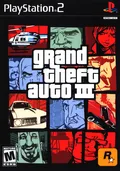
A widescreen patch for Grand Theft Auto III (SLES-50330) that ships inside PCSX2.
- Built in
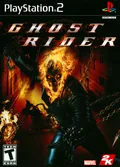 Ghost Rider on PS2 (PlayStation 2)
Remove Blackbars
Game fixCompleteBy PeterDelta
A game fix for Ghost Rider (SLES-54317) that ships inside PCSX2.
- Built in
Turn it on in the Patches page of the game's properties window.
LinkWorking at the last check, checked Author's noteNTSC mode at start. Turn it on in the Patches page of the game's properties window.
LinkWorking at the last check, checked Author's noteMight need EE Overclock (130%). 50 FPS
Game fixCompleteBy PeterDelta
A game fix for NBA Live 2001 (SLES-50024) that ships inside PCSX2.
- Built in
- Built into PCSX2. Turn it on in the Patches page of the game's properties window.
- Works with
- PAL
SLES-50024 - Emulator
- PCSX2
- Link
- Working at the last check, checked
- Author's note
- Might need EE Overclock (130%).
LinkWorking at the last check, checked Author's noteRenders the game in 16:9 aspect ratio Built into PCSX2. Turn it on in the Patches page of the game's properties window.
LinkWorking at the last check, checked Author's noteMight need EE Overclock (130%). Turn it on in the Patches page of the game's properties window.
Works withNTSC-USLUS-20655 LinkWorking at the last check, checked Author's noteMight need EE Overclock (130%). Built into PCSX2. Turn it on in the Patches page of the game's properties window.
LinkWorking at the last check, checked Author's noteMight need EE Overclock at 130%. Built into PCSX2. Turn it on in the Patches page of the game's properties window, or for every game at once with the Apply Widescreen Patches setting.LinkWorking at the last check, checked Author's noteRenders the game in 16:9 aspect ratio. Built into PCSX2. Turn it on in the Patches page of the game's properties window, or for every game at once with the Apply Widescreen Patches setting.LinkWorking at the last check, checked Author's noteRenders the game in 16:9 aspect ratio. Built into PCSX2. Turn it on in the Patches page of the game's properties window, or for every game at once with the Apply Widescreen Patches setting.
LinkWorking at the last check, checked Author's noteRenders the game in 16:9 aspect ratio Turn it on in the Patches page of the game's properties window.
LinkWorking at the last check, checked Author's noteMight need EE Overclock at 130%. Built into PCSX2. Turn it on in the Patches page of the game's properties window, or for every game at once with the Apply Widescreen Patches setting.LinkWorking at the last check, checked Author's noteRenders the game in 16:9 aspect ratio Built into PCSX2. Turn it on in the Patches page of the game's properties window.
LinkWorking at the last check, checked Author's noteDisable noise filter in gameplay Built into PCSX2. Turn it on in the Patches page of the game's properties window.LinkWorking at the last check, checked Author's noteRemoves background brume effect. Built inBuilt into PCSX2. Turn it on in the Patches page of the game's properties window, or for every game at once with the Apply Widescreen Patches setting.LinkWorking at the last check, checked Author's noteEnable native widescreen Built into PCSX2. Turn it on in the Patches page of the game's properties window, or for every game at once with the Apply Widescreen Patches setting.LinkWorking at the last check, checked Author's noteEnable native widescreen Built inBuilt into PCSX2. Turn it on in the Patches page of the game's properties window.LinkWorking at the last check, checked Author's noteNTSC mode at start. Built into PCSX2. Turn it on in the Patches page of the game's properties window, or for every game at once with the Apply Widescreen Patches setting.LinkWorking at the last check, checked Author's noteCorrects display cropping to 16:9. Built into PCSX2. Turn it on in the Patches page of the game's properties window.
LinkWorking at the last check, checked Author's noteRemoves black bars in cutscenes