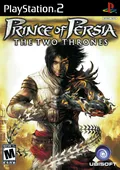
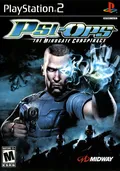
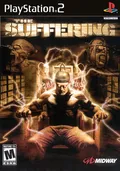
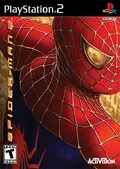
Built into PCSX2. Turn it on in the Patches page of the game's properties window.
Works with
PALSLES-53716
Emulator
PCSX2
Link
Working at the last check, checked
Author's note
Might need EE Overclock at 180%.
Built into PCSX2. Turn it on in the Patches page of the game's properties window, or for every game at once with the Apply Widescreen Patches setting.
Works with
PALSLES-54253
Emulator
PCSX2
Link
Working at the last check, checked
Author's note
Renders the game in 16:9 aspect ratio.
Built in
Built into PCSX2. Turn it on in the Patches page of the game's properties window.
Works with
PALSLES-53492
Emulator
PCSX2
Link
Working at the last check, checked
Author's note
Might need EE Overclock at 130%.
Built into PCSX2. Turn it on in the Patches page of the game's properties window, or for every game at once with the Apply Widescreen Patches setting.
Works with
PALSLES-52713
Emulator
PCSX2
Link
Working at the last check, checked
Author's note
Renders the game in 16:9 aspect ratio.
Built into PCSX2. Turn it on in the Patches page of the game's properties window, or for every game at once with the Apply Widescreen Patches setting.
Works with
PALSLES-52466
Emulator
PCSX2
Link
Working at the last check, checked
Author's note
Renders the game in 16:9 aspect ratio.
Built into PCSX2. Turn it on in the Patches page of the game's properties window.
Works with
PALSLES-53777
Emulator
PCSX2
Link
Working at the last check, checked
Author's note
Might need EE Overclock at 180%.
Turn it on in the Patches tab of the game's settings window.
Works with
PALSLES-01090
Emulator
DuckStation
Link
Working at the last check, checked
Author's note
Runs NTSC video mode.
Built in
Built into PCSX2. Turn it on in the Patches page of the game's properties window, or for every game at once with the Apply No-Interlacing Patches setting.
Works with
PALSLES-52702
Emulator
PCSX2
Link
Working at the last check, checked
Author's note
Enable progressive interlacing.
Turn it on in the Patches page of the game's properties window.
Works with
PALSLES-52247
Emulator
PCSX2
Link
Working at the last check, checked
Author's note
Might need EE Overclock (130%).
Built into PCSX2. Turn it on in the Patches page of the game's properties window.
Works with
PALSLES-53908
Emulator
PCSX2
Link
Working at the last check, checked
Author's note
Might need EE Overclock (180%).
Built into PCSX2. Turn it on in the Patches page of the game's properties window.
Works with
PALSLES-54234
Emulator
PCSX2
Link
Working at the last check, checked
Author's note
Might need EE Overclock at 130%.
Built in
Built into PCSX2. Turn it on in the Patches page of the game's properties window, or for every game at once with the Apply Widescreen Patches setting.
Works with
PALSLES-55350
Emulator
PCSX2
Link
Working at the last check, checked
Author's note
Corrects display cropping to 16:9.
Turn it on in the Patches page of the game's properties window.
Works with
PALSLES-54137
Emulator
PCSX2
Link
Working at the last check, checked
Author's note
SDTV 480p mode at start.
Turn it on in the Patches page of the game's properties window.
Works with
PALSLES-50706
Emulator
PCSX2
Link
Working at the last check, checked
Author's note
Might need EE Overclock at 130%.
Built into PCSX2. Turn it on in the Patches page of the game's properties window.
Works with
PALSLES-51693
Emulator
PCSX2
Link
Working at the last check, checked
Author's note
Might need EE Overclock at 130%.
Built into PCSX2. Turn it on in the Patches page of the game's properties window, or for every game at once with the Apply Widescreen Patches setting.
Works with
PALSLES-52447
Emulator
PCSX2
Link
Working at the last check, checked
Author's note
Renders the game in 16:9 aspect ratio.
Turn it on in the Patches page of the game's properties window.
Works with
PALSLES-51507
Emulator
PCSX2
Link
Working at the last check, checked
Author's note
SDTV 480p mode at start.
Turn it on in the Patches page of the game's properties window.
Works with
PALSLES-50326
Emulator
PCSX2
Link
Working at the last check, checked
Author's note
NTSC mode at start.
Built into PCSX2. Turn it on in the Patches page of the game's properties window.