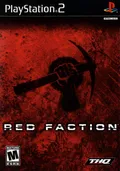
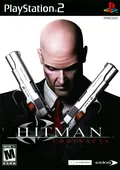
Built into PCSX2. Turn it on in the Patches page of the game's properties window, or for every game at once with the Apply Widescreen Patches setting.
Works with
NTSC-USLUS-20249
Emulator
PCSX2
Link
Working at the last check, checked
Built into PCSX2. Turn it on in the Patches page of the game's properties window, or for every game at once with the Apply No-Interlacing Patches setting.
Works with
PALSLES-50735
Emulator
PCSX2
Link
Working at the last check, checked
Built into PCSX2. Turn it on in the Patches page of the game's properties window, or for every game at once with the Apply Widescreen Patches setting.
Works with
PALSLES-54165
Emulator
PCSX2
Link
Working at the last check, checked
Built into PCSX2. Turn it on in the Patches page of the game's properties window.
Works with
PALSCES-50411
Emulator
PCSX2
Link
Working at the last check, checked
Author's note
Removes black bars in cutscenes
Built into PCSX2. Turn it on in the Patches page of the game's properties window, or for every game at once with the Apply Widescreen Patches setting.
Works with
PALSLES-51507
Emulator
PCSX2
Link
Working at the last check, checked
Author's note
Renders the game in 16:9 aspect ratio.
Built into PCSX2. Turn it on in the Patches page of the game's properties window, or for every game at once with the Apply Widescreen Patches setting.
Works with
PALSLES-52348
Emulator
PCSX2
Link
Working at the last check, checked
Built into PCSX2. Turn it on in the Patches page of the game's properties window.
Works with
PALSCES-50971
Emulator
PCSX2
Link
Working at the last check, checked
Author's note
Removes black bars in cutscenes.
Built in
Built into PCSX2. Turn it on in the Patches page of the game's properties window, or for every game at once with the Apply Widescreen Patches setting.
Works with
PALSLES-53480
Emulator
PCSX2
Link
Working at the last check, checked
Built into PCSX2. Turn it on in the Patches page of the game's properties window, or for every game at once with the Apply Widescreen Patches setting.
Works with
PALSLES-52766
Emulator
PCSX2
Link
Working at the last check, checked
Built into PCSX2. Turn it on in the Patches page of the game's properties window, or for every game at once with the Apply Widescreen Patches setting.
Works with
NTSC-JSLPM-66307
Emulator
PCSX2
Link
Working at the last check, checked
Built into PCSX2. Turn it on in the Patches page of the game's properties window, or for every game at once with the Apply Widescreen Patches setting.
Works with
PALSCES-50295
Emulator
PCSX2
Link
Working at the last check, checked
Author's note
Widescreen Hack
Built into PCSX2. Turn it on in the Patches page of the game's properties window, or for every game at once with the Apply Widescreen Patches setting.
Works with
PALSLES-53026
Emulator
PCSX2
Link
Working at the last check, checked
Author's note
Widescreen hack
Built into PCSX2. Turn it on in the Patches page of the game's properties window, or for every game at once with the Apply Widescreen Patches setting.
Works with
PALSLES-51840
Emulator
PCSX2
Link
Working at the last check, checked
Built into PCSX2. Turn it on in the Patches page of the game's properties window, or for every game at once with the Apply Widescreen Patches setting.
Works with
PALSLES-53346
Emulator
PCSX2
Link
Working at the last check, checked
Author's note
Widescreen Hack
Built into PCSX2. Turn it on in the Patches page of the game's properties window, or for every game at once with the Apply Widescreen Patches setting.
Works with
NTSC-USLUS-20073
Emulator
PCSX2
Link
Working at the last check, checked
Built into PCSX2. Turn it on in the Patches page of the game's properties window, or for every game at once with the Apply Widescreen Patches setting.
Works with
NTSC-JSLPM-65603
Emulator
PCSX2
Link
Working at the last check, checked
Built in
Built into PCSX2. Turn it on in the Patches page of the game's properties window, or for every game at once with the Apply Widescreen Patches setting.
Works with
NTSC-JSLPS-25600
Emulator
PCSX2
Link
Working at the last check, checked
Built into PCSX2. Turn it on in the Patches page of the game's properties window, or for every game at once with the Apply Widescreen Patches setting.
Works with
PALSLES-52135
Emulator
PCSX2
Link
Working at the last check, checked
Author's note
Renders the game in 16:9 aspect ratio.
Built in
Built into PCSX2. Turn it on in the Patches page of the game's properties window, or for every game at once with the Apply Widescreen Patches setting.